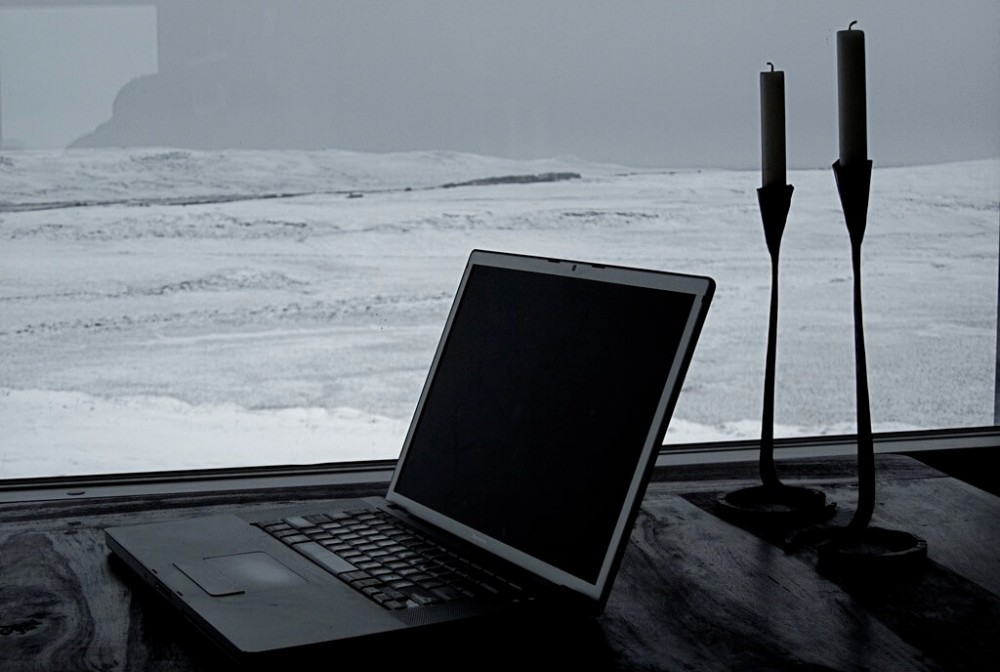
Every home office will be different depending on your style and the work you perform. So, what do you need for a home  office? I have owned my own company, working out of my home, and I have worked for a company and have been able to do the same. So far I have worked out of my home for 8 years. Here are some of the things I have learned from experience you may want to know if you are planning a home office.
A Place to Work
This may be obvious to most of you but you need an office to keep your work organized and a place you can allow for some peace and quiet. You may have to take a phone call or be part of a conference call at times and it will be times like this that you will need some noise control.
Most all of us have children, have had children, or are planning on having children. Need I say more about the need to be able to close the office doors at times. But, what about you partner? Have you ever thought about them being a problem? I once realized, then promptly told my wife, that she was more difficult to work with than any boss I have ever worked for! I’m surprised we’re still married after that slip of the tongue.
The problem is, that was the truth. Many spouses or partners can be more demanding than your boss. You don’t believe me? Try working at home for one year and then let’s have this discussion again.
You need an office space if you plan on working remotely for more than one “temporary” year.

Office Furniture
Let’s keep this simple. You don’t need much to start working out of your home. Please get all of those pictures out of your mind of a beautiful office with expensive furniture and a fireplace in the background as you’re looking out your double french doors over a beautiful manicured lawn and across the lake.
Now you know what I envision as my perfect office.
Most people who start out working at home don’t have thousands of dollars to go out and buy the most beautiful furniture and you don’t need to. Keep your ultimate goal in mind of working remotely for many years to come and keep your expenses to a minimum.

All you need is a cheap, and probably free, table and chair. You really need to add a filing cabinet to organize things and maybe a bookshelf but that’s about it. I would add an additional small table for your printer but that can also be cheap and most likely free. We need to get real with ourselves and keep our priorities straight. Would you rather start out with nothing and build an empire or buy your grand office empire now and not be able to pay for all the expensive office furniture later when you’re trying to get the company off the ground?
Unless you already have money, you need to start out with some cheap stuff, at least when it comes to furniture.
Computers and Printers are a Completely Different Ballgame

Save your money when acquiring your furniture and invest it into the technology which is absolutely critical for an effective home office.
You will lose money if you don’t have the latest computer, printer and monitors.
It’s amazing how many times in the past I have seen office managers yelling at their people to get the job done faster, yet the staff is working with 7 year old computers and 10 year old monitors.
How many times have you seen highly qualified people waiting for a slow computer or sub-standard internet speeds, sitting and hoping that the screen would refresh or pull up the next page so they could do their job?
You don’t need to buy the most expensive equipment in the world but if there is a place where you don’t skimp, this is it.
My Home Office and Other Remote Equipment/Supplies
So you want to work remotely? Here are some of the furniture, equipment and supplies you may need to do your job, anywhere in the world. If you haven’t figured it out yet, working remotely means way more than working at home.
- Private office if at all possible

- Desk/table
- ActiveMat for standing
- Chair
- File cabinet(s)
- Small table for a printer unless the printer can sit on your desk
- Bookshelf or cabinet for books and office supplies
- Lamps
- Laptop (not a desktop)
- Copier/scanner/printer
- Monitors
- Docking station
- Keyboard
- Mouse
- External hard drive (primarily for backups)
- Smart phone (to receive calls and emails when away from your main office)
- Hot spot on smart phone for remote internet connection from laptop
- Miscellaneous office supplies
- VPN Router & Service
And for all of you “really remote” workers, you may want to add these items:
- AC to DC power converter
- I have a third office in my van. I have the ability to power my laptop and printer for unlimited periods of time away from any typical office. I will write on this more in the future but I desire the ability to work anywhere, and at
 any time. In order to do this, I have had to think long and hard about the size and type of vehicle that would allow me the space and comfort I need. Working out of a vehicle will be short-lived if you don’t have something with enough size and that is easy to move in and out of and around in.
- I have a third office in my van. I have the ability to power my laptop and printer for unlimited periods of time away from any typical office. I will write on this more in the future but I desire the ability to work anywhere, and at
- Light and mobile desk top you can sit on your lap
- There may be a product out there you can buy but I bought a thin, lightweight, sheet of wood and cut it to the size I would need to sit my laptop and mouse pad on side by side. I rounded the corners and sanded down the edges to make them smooth. My job requires me to use my mouse 80% of the time so it’s crucial for me to have some portable table I can sit on my lap and operate just like I would if I had a desk.
- Satellite internet connection
- This is something I don’t know much about and will be researching more in the future but if you want to be camped next to a beautiful lake, far into the mountains, with no internet connection and your business requires an internet connection; then you need a way to have internet access no matter where you are.
Just Brushing the Topic of a Home Office
As you can see, there is a lot of things to consider when setting up a home or “remote” office and we have just barely touched on the subject.
What about making sure your clients are ok with you working remotely? You may think this is none of their business, but they can potentially make life difficult for you.
Have you talked this over with your family? Does your partner even want you working at home? Some people who don’t have to be in the office may like their alone time during the day.
What about you? Have you really worked this through in your mind how it will be working at home? Have you done a test run and tried working from your home or vehicle for a week or two to make sure this dream doesn’t turn into a nightmare?

Working remotely is incredible……..for some people. Make sure it’s right for you.
If you love the idea of working remotely but are not sure how to do it or what you could sell, then follow me and let me show you what I have learned and how I am preparing for the future.

Please leave a Comment Below or Email Me if you have a question.
Return to Home Page
No products found.
I was thinking of separating my room and desk by having a cubicle. My house doesn’t have an extra room that I can turn into my own personal office so my bedroom has to be both my bedroom and an office. With that being said, I realize that it can be a distraction if I can just take my computer and lay on my bed as oppose to sitting at a desk.
Do you think that is a good idea, or do is that a little to pricey? I am not planning to do it immediately though.
Jessie, we all need to work with what we have so just enjoy what you have and find something that works for you. Sometime in the future when there are opportunities than you can try different things and find what works best for you.
It’s great that you are so motivated. Keep it going.
Using your van is such a great idea! I’ve been trying to figure out how to use my shed in the backyard, which is fairly small and cramped, but using my van would probably be much easier! Great thoughts!
It worked great for me, plus I found a lake near the house that had great places to park. So, many times when it get’s noisy at home and I don’t feel like going to the office, I’ll just jump in the van and park, overlooking the lake and the birds and work in peace.
Rick,
I have been working from a home office for 3 years. I have an office set up with most of the things you have outlined. Since I am home alone most of the day when I work, I try to work on the laptop someplace that is comfortable with a view.
When looking for a new vehicle last year, one of the things that made me purchase the one I got was the 110 outlet and WiFi. This will allow me if I choose to go to a spot and work without anything but nature to bother me.
Since my laptop does not have a lighted keyboard, I have gotten a clip-on reading light to help work after everyone goes to bed. Having an extra battery for the laptop is an advantage for those really remote workers also.
Have you seen any laptops that can receive a satellite signal without a external modem.
John
I also have the USB flexible light that can be positioned over my laptop. I actually don’t use it much but there are times it comes in handy.
I have not seen or researched a laptop that can receive satellite signals but I guarantee the military has them. I’m just not sure if it would be cost effective but this is something I am definitely going to research.
The other, maybe more common option, is to get a small dish you can mount to your vehicle that would give you internet access through the satellites. It’s something I will be looking into.
Hi! Thank you for this article. I want to share my experience, as I have been working from home the last 6 months. I can totally agree to all of your points in the article and I also want to add, that having a cat that is constantly trying to keep you away from working, can be a problem 😉
Nevertheless, after 6 months being at home the whole day, it kind of took my creativity and drove me a bit crazy at times. I think working from home has its good and bad sides. For me, being alone most of the time, was at the end the reason why I am now going at least 3 days a week in a co-work space.
Since then, I feel again more creative and not so depressed from sitting at home the whole time.
I guess at the end, everybody who wants to work from home, has to try it for some months to see if it is the right thing to do.
Have you experience some rather bad time, working from home? E.g. feeling alone, depressed, not creative anymore? If yes, how did you overcome it?
Cheers,
Mia.
Let me start with saying that I like to put the emphasis on working remotely and having freedom and flexibility, which sometimes means I want to go to a real office with real people.
Currently, I go into the company office between 2 and 3 days each week but I get to choose what days those are and when I go in and when I leave. This can be hard to find in a company so I’m careful not to exploit it.
I agree that there are many people that may find that working remotely is not exactly what they want or need.
I never felt depressed working from home but I have felt like it was a mistake to be so isolated for many years. I actually feel like I didn’t learn very much in my civil engineering profession.
I overcame this first by realizing I loved the ability to work remotely and have incredible work time flexibility so I have done everything possible to keep this. Second, I have realized I work better when I am around people more and that sometimes working remotely means “working remotely from my family.”
You have asked some great questions and it’s obvious you have experienced this first hand. Everyone’s situation is different but your idea to have a co-work space place to go is a great solution. It may be better to focus on “workplace freedom and flexibility” than just the desire to work at home.
My husband is planning to set up an office at home. I can imagine how overwhelming it would be..Your post would be very helpful. I will surely forward it to him!
Thank you for stopping by and letting me know.
Just recommend that he tests things out ahead of time if possible.
My focus is becoming more about workplace freedom and flexibility and having the ability to work remotely. One recent comment that Mia just left here brought up a great point about working at home. We all need to interact with other people and to not completely isolate ourselves. I have chosen to go into my companies office more lately for that reason. I still remain free to work when and where I want but it is nice to be able to work around other people at times.